FINDER Portal
GPS Tracking
Software

Simply locate, manage, and secure anytime, anywhere.

How the FINDER Portal Works with Your GPS Tracker

When you purchase a GPS tracker from us, you manage it via the Finder Portal. You can easily locate and manage one or multiple trackers, all in one place. Watch the video to see how it works:

Discover All Features of the FINDER Portal, your Complete GPS Tracking Solution

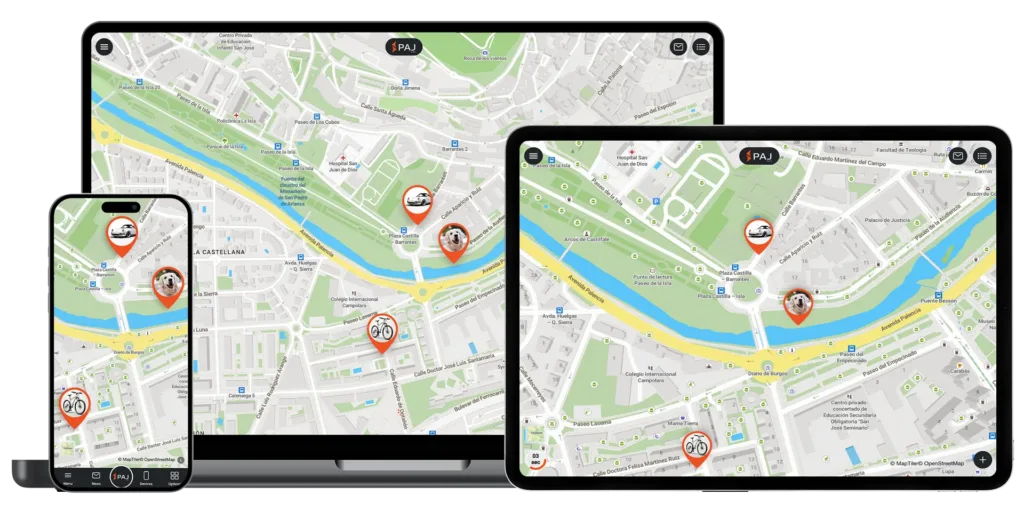
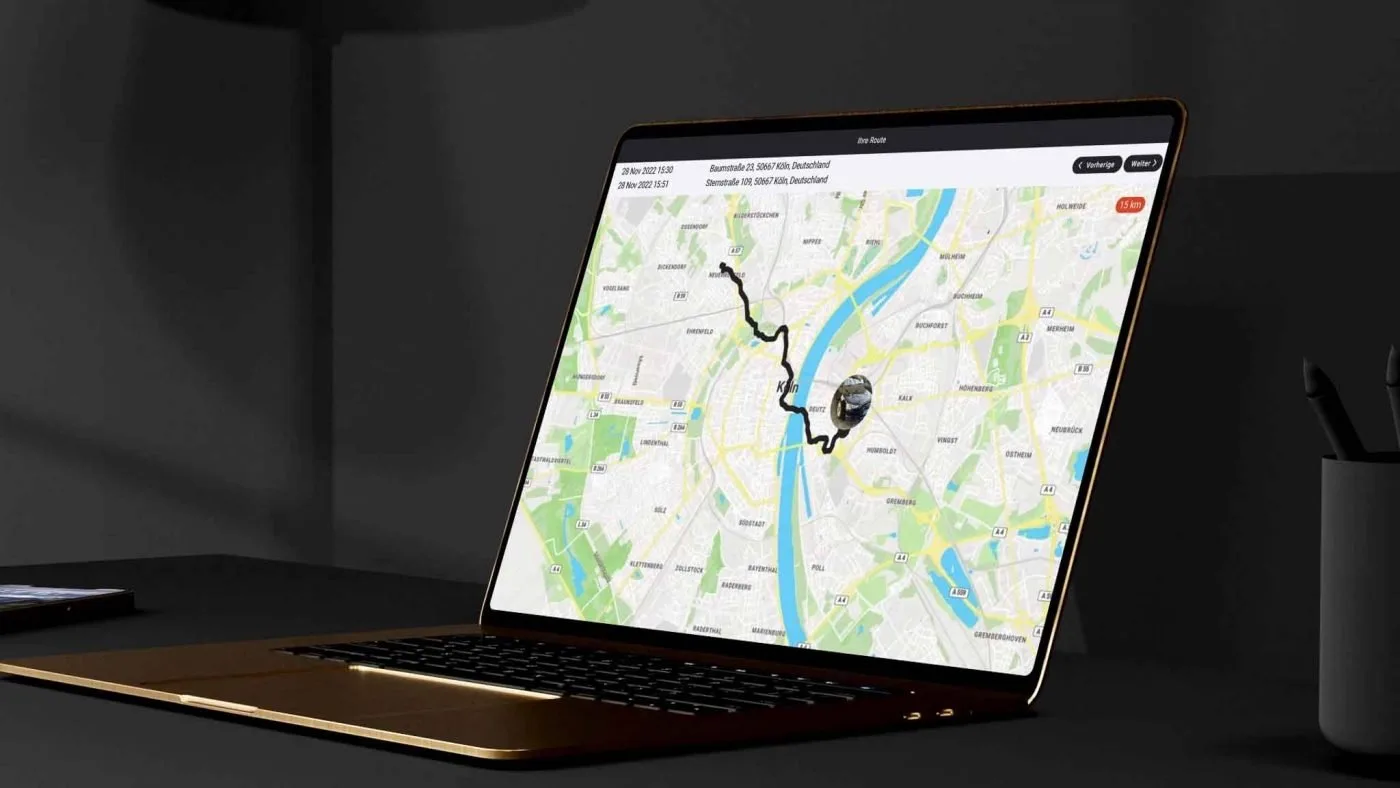
More than just an app, the FINDER Portal provides all the tools you need for efficient GPS tracking, including live location, route history, smart alerts, and central device management, accessible on any device worldwide.

Live tracking

Current locations of all your GPS trackers at any time - whether car, motorcycle, bicycle or other devices

Route history & analyses

Trace past routes up to 365 days back – with detailed analyses

Central device management​

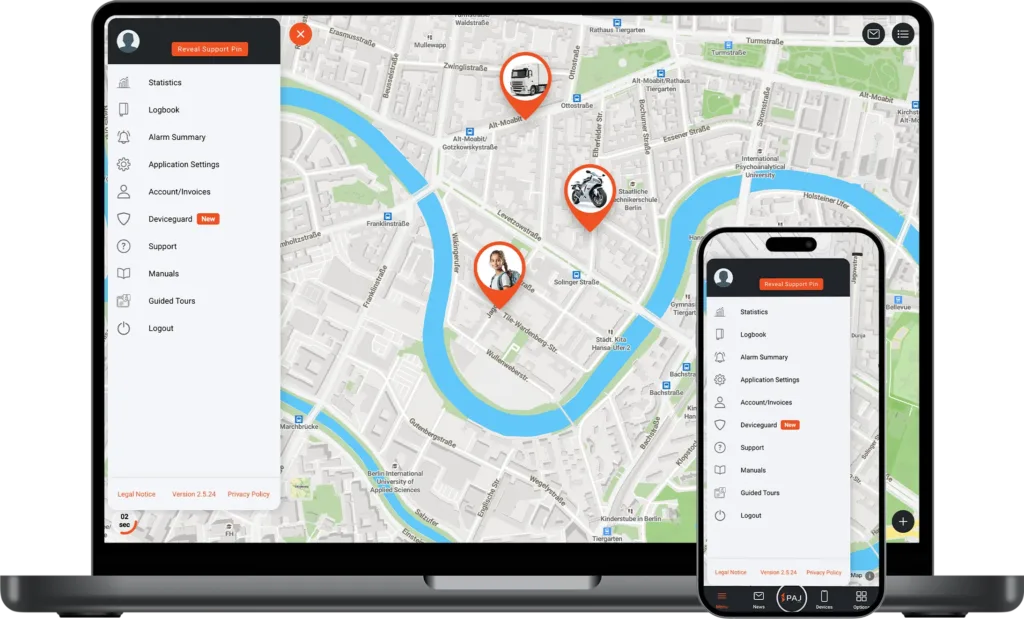
Manage multiple GPS trackers in one place with a clear overview

Cross-Platform Access

Use the portal seamlessly on smartphone, tablet, or desktop

Intelligent alarms

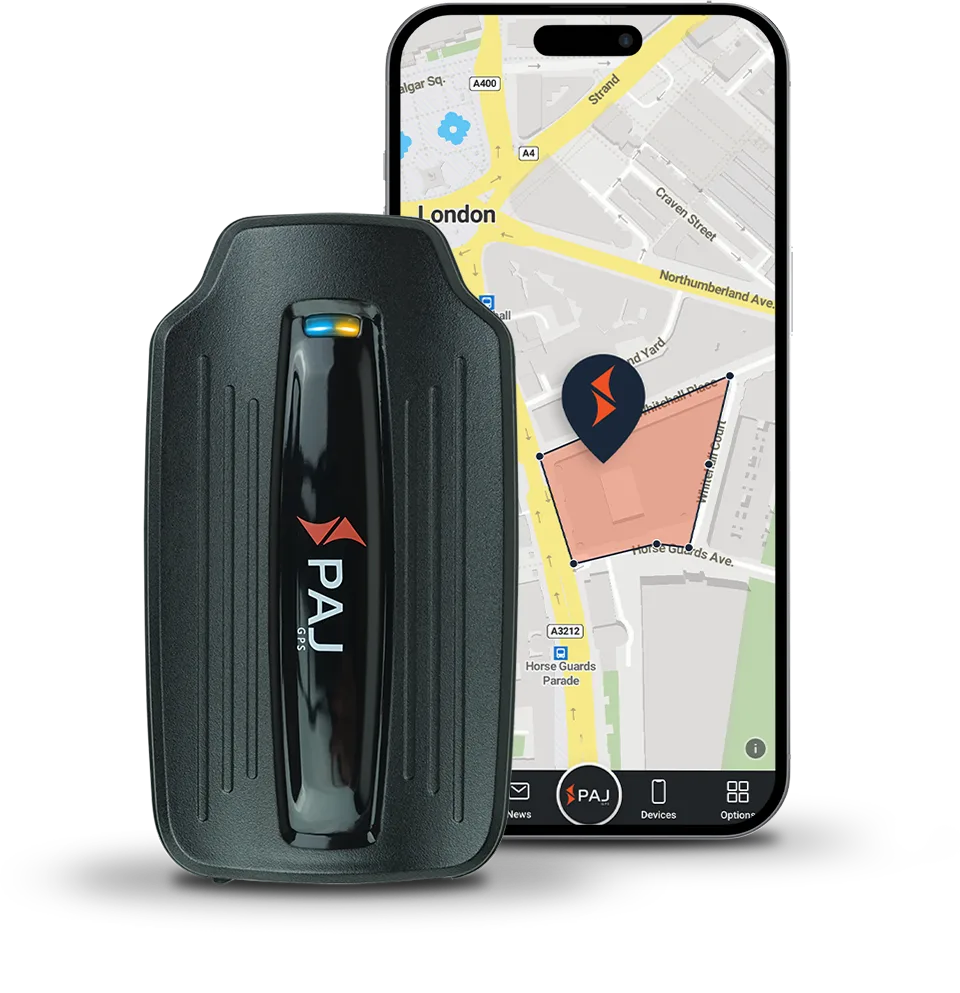
Instant notifications of movement, vibration, entering or leaving specified zones, and other events

Regular Updates

Continuous improvements and new features based on customer feedback

User Management

Assign roles and permissions with ease – from Admin to basic User

Open API

Build tailored solutions – from fleet systems to smart home automation

Live tracking

Current locations of all your GPS trackers at any time - whether car, motorcycle, bicycle or other devices

Route history & analyses

Trace past routes up to 365 days back – with detailed analyses

Central device management​

Manage multiple GPS trackers in one place with a clear overview

Cross-Platform Access

Use the portal seamlessly on smartphone, tablet, or desktop

Intelligent alarms

Instant notifications of movement, vibration, entering or leaving specified zones, and other events

Regular Updates

Continuous improvements and new features based on customer feedback

User Management

Assign roles and permissions with ease – from Admin to basic User

Open API

Build tailored solutions – from fleet systems to smart home automation

Try the FINDER Portal for Free​

With our trial access, you can explore all functions. A demo tracker records routes regularly, so you can experience the portal realistically.

1
Open the FINDER Portal

Download the FINDER Portal v2 app from the App Store or Google Play, or access it directly via your browser at www.finder-portal.com

2
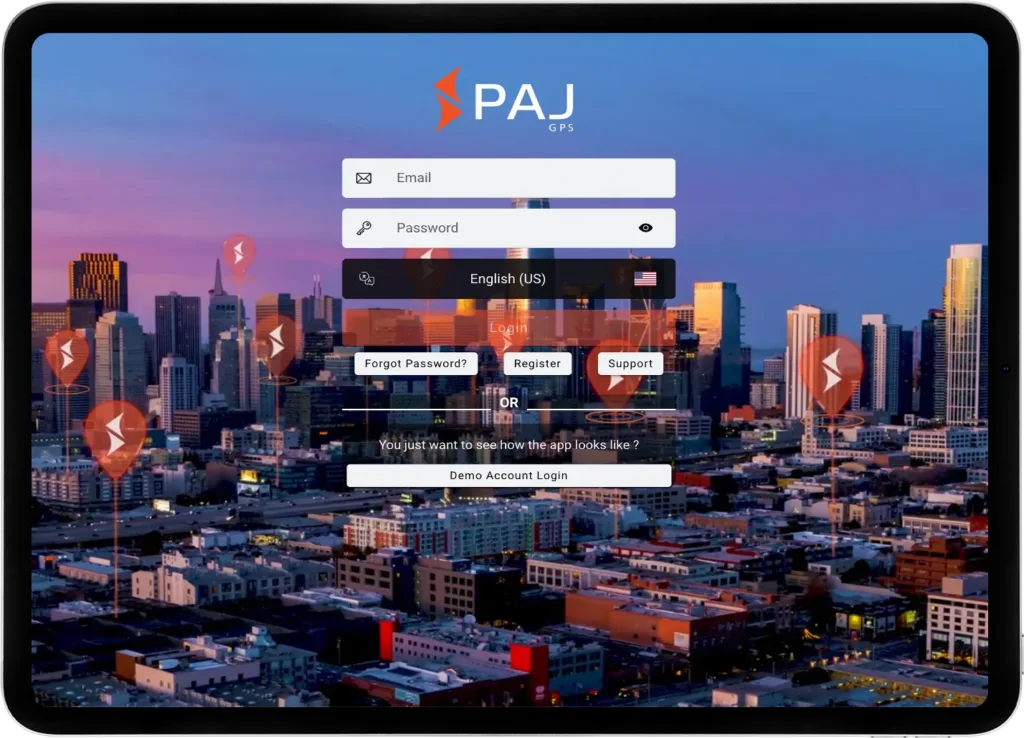
Select Demo Login​

Open the app or web version and click on
“Demo Account Login”

3
Explore Functions

Start using the portal with the integrated demo tracker – no registration required

* Since multiple users share this access, we do not recommend enabling notifications permanently.
** You may choose whether to allow the app to access your device’s location. This does not affect the demo access or tracker functionality.

What to Expect in the FINDER Portal
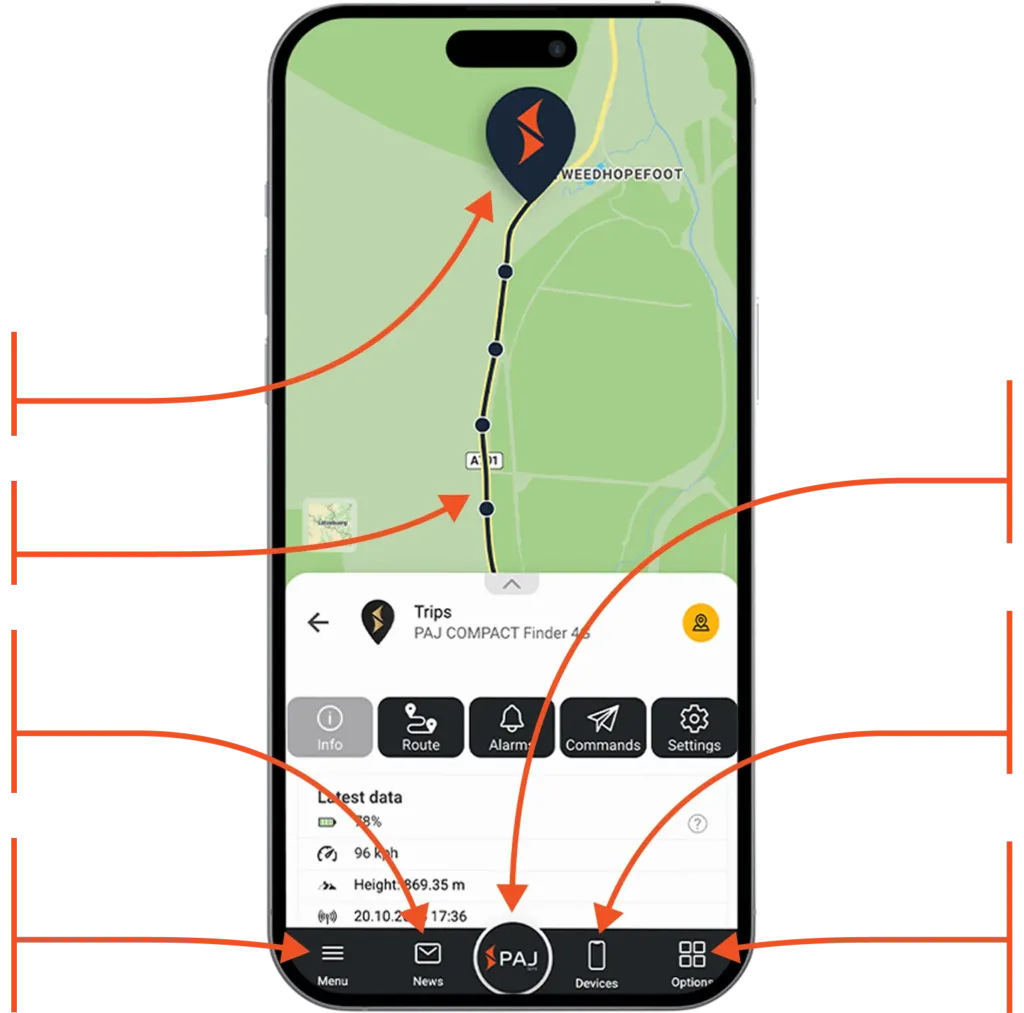
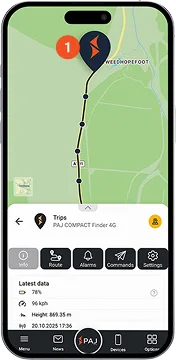
Current location of the device
Route traveled​
Instantly access recent activities, routes, and alarms
Manage your account, adjust app settings and access the manual to discover all the features
Tap to return to the map view and refresh the data and refresh the data​
Manage your device: View data, analyze routes, set alarms, and adjust settings
Customize your map view: Switch to 3D view, show or hide routes, waypoints and alarms
What to Expect in the FINDER Portal
Multilingual and Cross-Device Compatible

Simple, flexible, and available on all devices

The FINDER Portal is designed for maximum flexibility – usable on desktop, smartphone, and tablet. Thanks to the multi-device function, it can be used on several devices simultaneously, ideal for sharing with family, friends, or colleagues. With support for 9 languages, it is especially user-friendly and globally accessible.

Trusted by over 520,000 customers in more than 30 countries worldwide.​

See for yourself what others are saying!

Software Made in Europe

Your privacy is always our top priority. All data is stored securely on a European server managed under German law. User profiles are never created from your data, nor is it shared with third parties. Your data belongs only to you.

Open the FINDER Portal

All transmitted data is fully encrypted to protect your personal information and location data

Regular Security Updates

With PAJ GPS, you are protected from data leaks thanks to continuous updates that address new threats and enhance system security

Compliance with Privacy Regulations

We adhere to strict regulations and employ robust security measures to ensure your data is handled responsibly and safely

Get Started Today with our
All-in-One GPS Solution
1
Buy a GPS tracker

Choose the perfect tracker for your needs.

2
Choose a subscription

Choose a plan that flexibly adapts the duration and features to your needs. The subscription is part of the complete GPS solution.

3
Start tracking

Sign in to the app and start tracking immediately.

Download the FINDER Portal
and Start Immediately

Start tracking today! Visit finder-portal.com or download the app directly from your preferred app store

FAQ
Have questions, We got answers.
Everything you need to know about our process, and how we deliver results.
Where can I find my Service PIN?

When calling our support team, please provide your Service PIN.
You can find your Service PIN in the Finder Portal app. Simply open the menu and look under your name.
How can I place an order?

You can find all our products in our store. In addition to our appliances, you can also purchase accessories. Do you need advice? Take a look at our purchase advisor page or contact us personally.


What payment methods are available?

Payment options in our online store:

– Prepayment / bank transfer

– Direct bank transfer

– Credit card

– Apple Pay

– Google Pay

– PayPal

We have summarized the information for you here: Payment options at PAJ. Payment options for the license in the FINDER Portal:

– PayPal

– Apple pay

– Google pay

If none of the above payment options are available to you, you can also transfer an annual license in the form of an invoice. Please contact our customer service for this.

Is it necessary to register in the online store?

No, you do not need to register in the online store to place an order. You have the option of ordering as a guest. Simply enter the required data during the ordering process.

Will I receive a confirmation as soon as my order has been dispatched by prepayment?

Yes, if you purchased your order with a prepayment method, you receive normally an automatic shipping confirmation from your local logistics company once your order has been dispatched. If you cannot find it, please check also your spam folder.

Where can I find my invoice?

Orders via paj-gps.co.uk:

If you have ordered via our online store at www.paj-gps.co.uk, you will receive your invoice at the e-mail address you provided when placing your order. If you have not received the invoice or require another copy, please contact us. We will then send you an invoice in PDF format by e-mail.

Orders via Amazon:

If you have ordered an item from us via Amazon, you will automatically receive the invoice in your Amazon e-mail inbox within the first week of the following month. The invoice is of course issued on the date of your order and you fulfill all possible VAT obligations.

Other platforms or sellers:

If you have purchased your FINDER via another platform or from another seller, please contact your seller directly. They will be able to help you most quickly.

I have problems with my order

Problems with your order?

Our customer service team will be happy to help you with any problems you may have.

Please contact us by e-mail:

General inquiries: info@paj-gps.com

Support requests: support@paj-gps.com

Available by phone:

Monday – Thursday: 09:00 – 16:00

Friday: 08:00 – 14:00

(excluding public holidays)

Phone: +49 (0) 2292 39 499 59

WhatsApp: +49 176 5781 0417

How long does shipping take?

Usually it takes 1-3 business days, in case of low stock quantities it might take 3-5 business days.

How will my order be shipped?

In most cases your order will be shipped with Amazon, or a local logistics company.

How can I track my shipment?

Usually, the local logistics company sends automatically an email to the customer with all shipping details.